Is ChatGPT sending your Shopify store sales? How to check
Where Shopify shows sales from ChatGPT, Gemini, Copilot and Meta AI, why Google Analytics misses them, and what AI agents read about your products.

Probably a few, and you can check in a minute. Shopify lists your products in ChatGPT, Google AI Mode and Gemini, Microsoft Copilot and Meta AI by default, and counts what they sell under Sales channels > Agentic in your admin. Google Analytics misses most of it, because more and more of these purchases are paid for inside the AI app and never reach your site.
Are my products already in ChatGPT?
If your store is eligible, yes. Shopify calls this “agentic storefronts”: your products go into Shopify Catalog, and AI assistants search that catalogue when a shopper asks them for something to buy. It has been on by default for eligible stores since March 2026 (Naughton & Bird), so most store owners never turned it on and many don’t know it’s there. The Fall ‘26 Edition in late October went further and made every store’s own storefront and checkout usable by AI agents (Shopify).
Your store is eligible when, according to Shopify’s requirements:
- It is on the Starter plan or higher, and not password protected.
- Your terms of service, privacy policy and return and refund policy are filled in under Settings > Policies.
- Each product has a title, at least one image and a price above zero, and is published to your online store.
- Your account is in good standing: verified, with real sales and few chargebacks.
- For ChatGPT, you sell to customers in the United States (your store can be based anywhere).
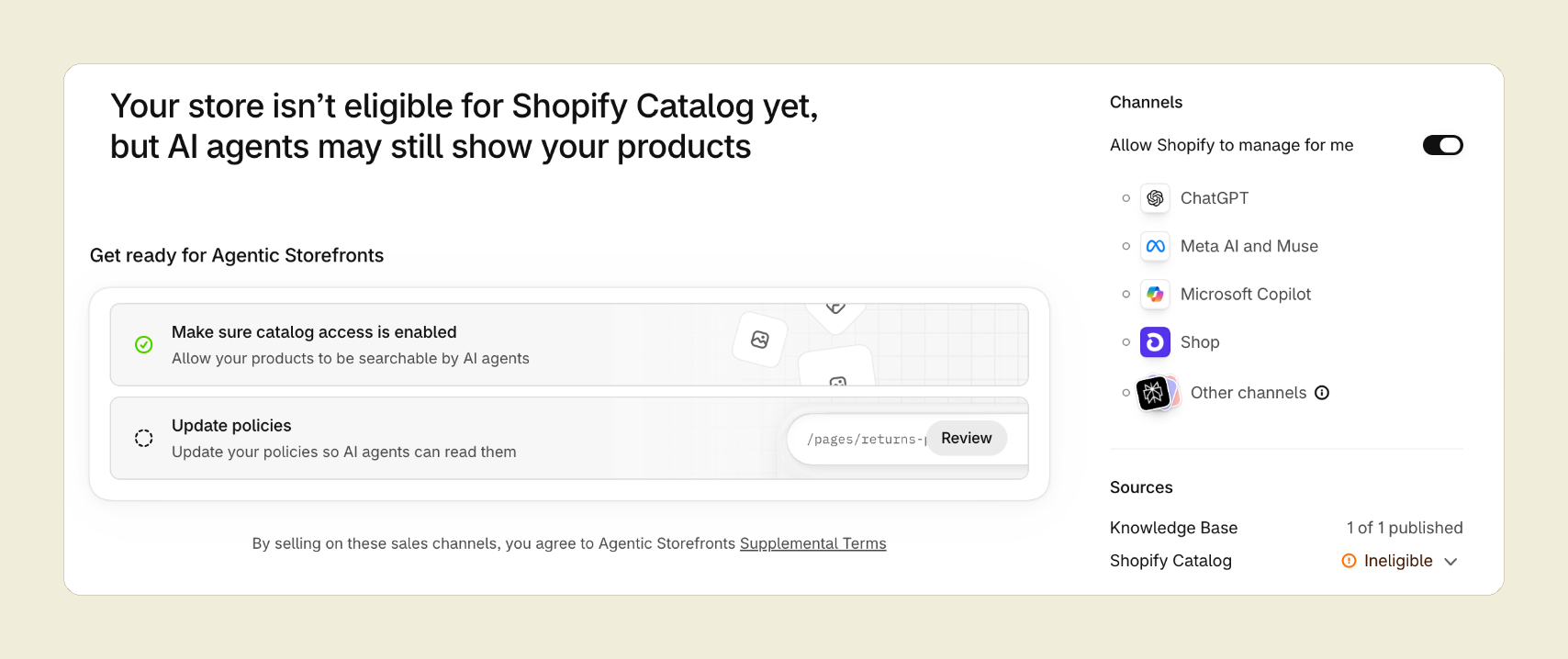
The fastest check is the page itself. Open Sales channels > Agentic. If the Shopify Catalog line under Sources says “Ineligible”, open it to see why; our test store above is a development store, so it can’t be listed.
Where do I see sales from ChatGPT in Shopify?
In two places.
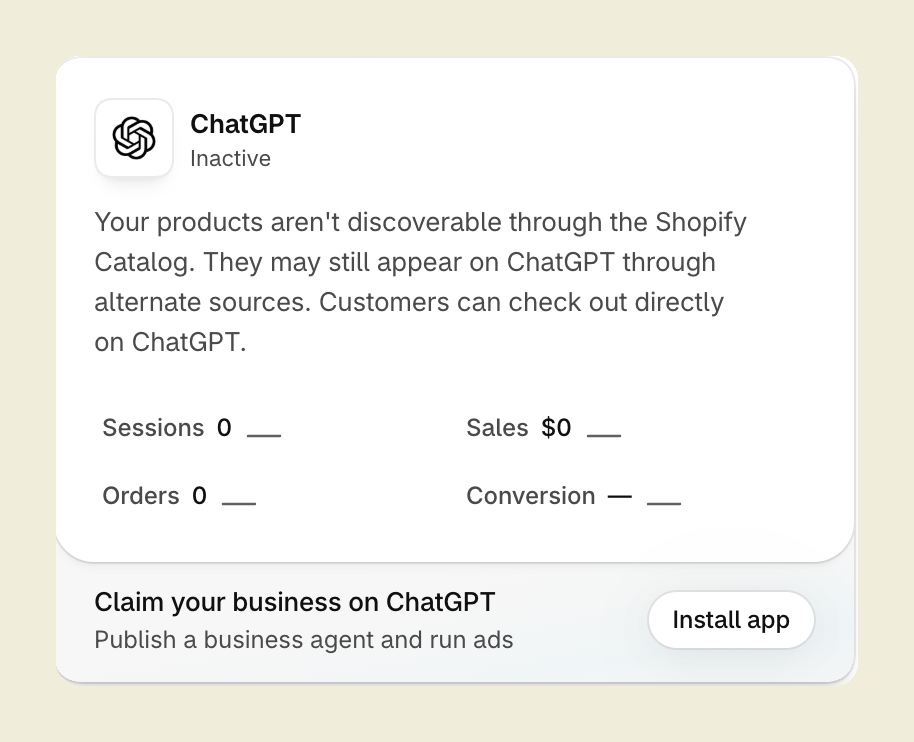
Sales channels > Agentic lists each AI channel. Click one to see its sessions, sales, orders and conversion rate. The main chart on that page can switch between Sales, Orders, Online store sessions and Online store conversions, for the last 30 days or a range you choose. Shopify counts both kinds of sale here: orders paid for inside the AI app and orders from shoppers who clicked through to your store.
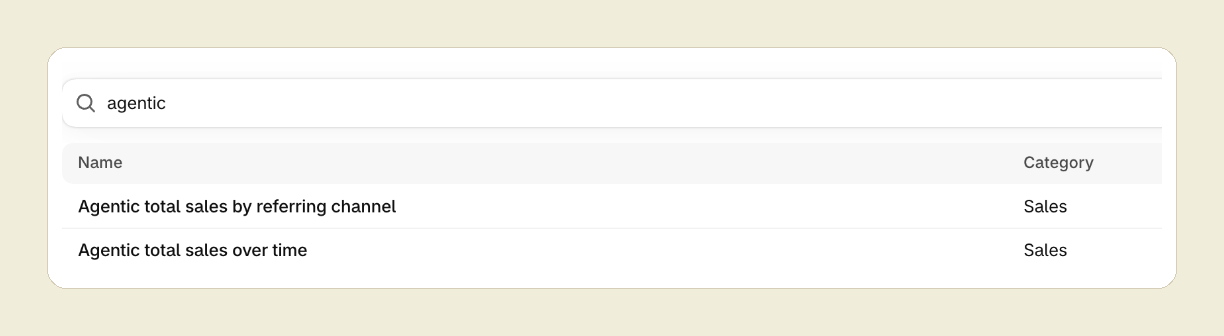
Analytics > Reports has two ready-made reports. Search for “agentic”:
- Agentic total sales by referring channel shows which assistant sold what.
- Agentic total sales over time shows whether it is growing.
Both are ShopifyQL queries you can change. The first one is:
FROM sales
  SHOW total_sales
  WHERE agentic_referring_channel IS NOT NULL
  GROUP BY agentic_referring_channel WITH TOTALS, ANY_CLICK_ATTRIBUTION
  SINCE startOfDay(-30d) UNTIL today
Note the attribution: “any click” credits a sale to an assistant if the shopper came from it at any point, not only on the last visit. If you compare it with another report, compare like with like.
If both reports are empty, your products may simply not be coming up. Ask ChatGPT the question one of your customers would ask (“a gift for a runner under $50”, “the best dog harness for a small dog”) and see whether you appear.
Why doesn’t Google Analytics show these sales?
Because the shopper often never loads your site. Shopify’s help pages say it plainly for Google AI Mode and Gemini, Microsoft Copilot and Meta AI: Google Analytics and custom pixels don’t fire in their agentic checkout. Only Shopify’s own server-side events record the checkout. The order arrives in your admin with revenue and no visit attached.
| Channel | Where the shopper pays | Where it’s available |
|---|---|---|
| ChatGPT | Inside ChatGPT for some purchases; otherwise your own checkout, in ChatGPT’s in-app browser or a new tab | Shoppers in the United States |
| Google AI Mode and Gemini | A Buy button inside Google, still rolling out | Stores selling to the United States, Canada or Australia |
| Microsoft Copilot | A Buy button inside Copilot | Shoppers in the United States |
| Meta AI and Muse | Inside Meta’s apps, or Meta’s in-app browser when more details are needed | 11 countries, including the US, UK, Canada and Australia |
From Shopify’s help pages for each channel, November 2026.
When the shopper does click through to your store, Google Analytics sees the visit, but an in-app browser can drop where the shopper came from, and then the visit lands under Direct. That is why a store can see revenue rise in Shopify while Google Analytics shows no AI traffic at all. For AI sales, trust Shopify’s reports over Google Analytics.
One more thing to test: apps that act on an order when it is created. An order paid for inside an AI app was never in your theme’s cart, so anything that relies on storefront scripts or cart attributes won’t be on it. Place an agentic order on a test product, or wait for your first one, and check that fulfilment and your other apps handle it.
What are other store owners seeing?
Very little, so far, for most of them. We read every post and comment on r/shopify from October 24 to November 23, 2026: 710 posts and 5,226 comments. 33 posts were about selling through AI assistants, and the 335 comments under them describe a wide range:
- A handful of owners get real orders from ChatGPT: “six orders a month or so”, “quite a lot of sales from ChatGPT. Zero from all the others”, and one new store whose only orders so far came from ChatGPT.
- More say it barely registers. One store that doubled its sales year on year put AI’s share at under 0.01%.
- A seller of food and drink said orders from ChatGPT are close to nothing for stores like theirs.
- Several replies pointed out that the referrer report hides most of these sales, and that the Agentic reports are the ones to read.
The owners who do get orders had something in common: their store already ranked well in Google, or was often recommended on Reddit. ChatGPT seems to find shops much the way people do.
What do AI agents read about my products?
The listing in Shopify Catalog, not your theme. That means the title, description, options and variants, images, price, availability and a few other attributes, plus any metafields you map to it (Shopify). Anything that only exists on your product page, such as a size chart in an image or a delivery promise in a banner, is invisible to them.
Shopify scores each listing on five signals, shown as Listing insights in the Search preview on the Agentic page:
| Signal | What it looks at | What to fix |
|---|---|---|
| Description completeness | Whether the description answers what a shopper would ask | Materials, sizes, who it is for, what is in the box |
| Image coverage | How many images, and of what | Several angles, the product in use |
| Product reviews | Your average rating and number of reviews | More reviews from real buyers |
| Variant and option completeness | Whether every variant is described | Clear option names: “Large”, not “L2” |
| Shop policy completeness | Your shipping and return policies | Fill them in under Settings > Policies |
Two of these deserve a closer look.
Reviews. Shopify counts only reviews “verified by trusted sources”, and doesn’t say which sources those are. A shopper asking an assistant for “the best” of something is asking it to judge quality, and a rating from verified buyers is one of the few signals it has. The same rating also earns the stars under your product in Google; our guide to rich snippets explains where it comes from.
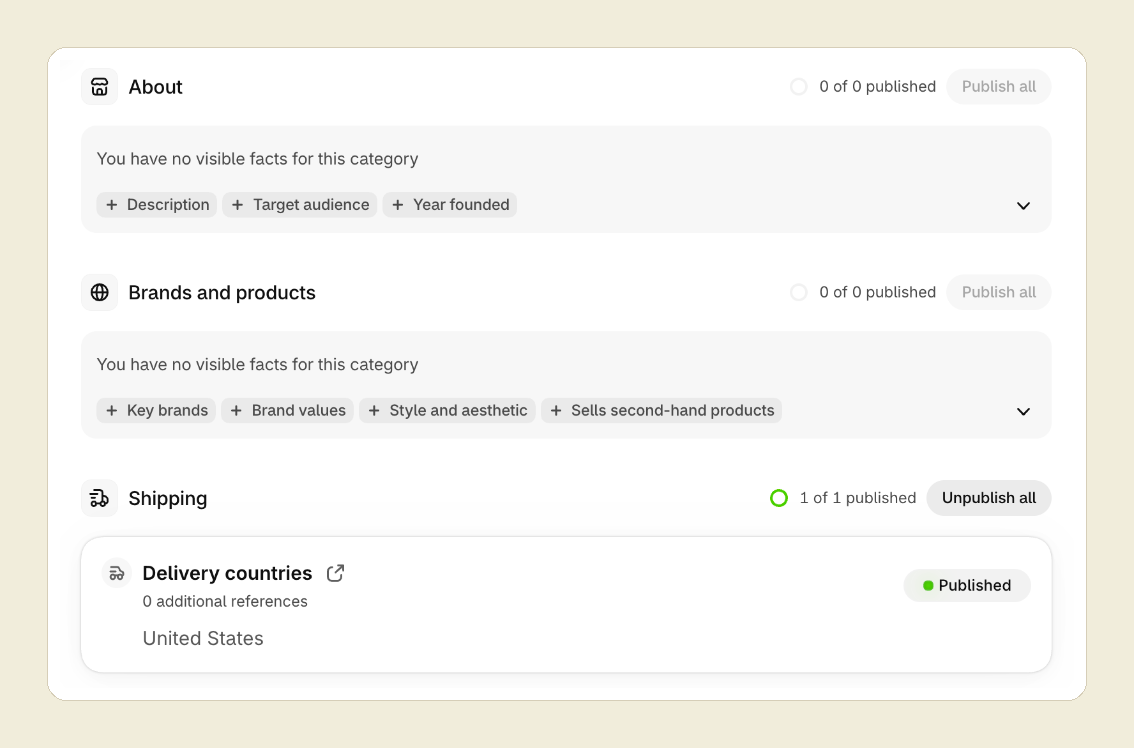
Policies and store facts. Shipping times, return terms and what your brand stands for come from your policies and the Knowledge base under Sales channels > Agentic. Shopify scans your store for facts, suggests them, and publishes the ones you approve. The assistants use them to answer questions like “does it ship to Canada?” or “can I return it?”.
How do I get more of my products picked by AI assistants?
- Open Sales channels > Agentic and fix whatever it lists under “Get ready”. Missing policies are the most common gap.
- Use the Search preview. Type a question a customer would ask and see which of your products could rank. Open a product’s Listing insights to see its weak signals.
- Rewrite thin descriptions. Answer the questions you get by email and in chat: size, fit, material, care, compatibility.
- Add images, and give variants plain names.
- Collect reviews on your best sellers first. One review request by email after each order is the simplest way. Orders paid for inside an AI app still land in Shopify with the buyer’s email, so a reviews app that asks after fulfilment, as Orankl does, asks those buyers too. For them it may be the first message they get from your store.
- Fill in the Knowledge base, then check it again after you change a policy.
- Look at the Agentic reports once a month, not Google Analytics, to see whether any of it is working.
Can I turn agentic selling off?
Yes, per channel. On the Agentic page, switch the channels list from Manage for me to Manual with the settings icon, open a channel and turn off Shopify Catalog access (stop listing your products there) or Agentic checkout (let shoppers find you there, but send them to your own checkout to pay). Turning off Catalog access can take up to 7 days to take effect. To keep one product out of every AI channel, set it to Unlisted, which also hides it from search engines.
There is no fee to keep it on: Shopify charges only your normal payment processing on these orders.
Frequently asked questions
Do I need to install a ChatGPT app to sell in ChatGPT?
No. Shopify's agentic storefronts are on by default for eligible stores, and ChatGPT reads your products through Shopify Catalog. The ChatGPT app Shopify offers is a separate thing, for a business profile and ads, and isn't needed to appear in ChatGPT's answers.
Does Shopify charge a fee on sales from ChatGPT or Gemini?
No. Shopify's help pages for ChatGPT, Google AI Mode and Gemini, Microsoft Copilot and Meta AI all say there are no fees for selling there beyond your usual payment processing fees.
Why does my Agentic page say my store isn't eligible?
Shopify Catalog only takes stores that meet its requirements. The usual causes are a missing terms of service, privacy policy or refund policy, a store on a development plan or behind a password, and products without an image or a price. A short or rocky order history counts against a store too, and Shopify reviews eligibility over time.
Can I stop AI agents from selling my products?
Yes. In Sales channels > Agentic, switch the channels list from Manage for me to Manual, open a channel and turn off its Shopify Catalog access or its agentic checkout. Shopify says turning off Catalog access can take up to 7 days to stop the sharing.
Will AI shopping replace my online store?
Not soon, from what store owners report. Most see a few orders a month from ChatGPT at most, and many see none. Treat it as one more place your products are shown, and keep the product data it reads complete.